Charting, finally solved.
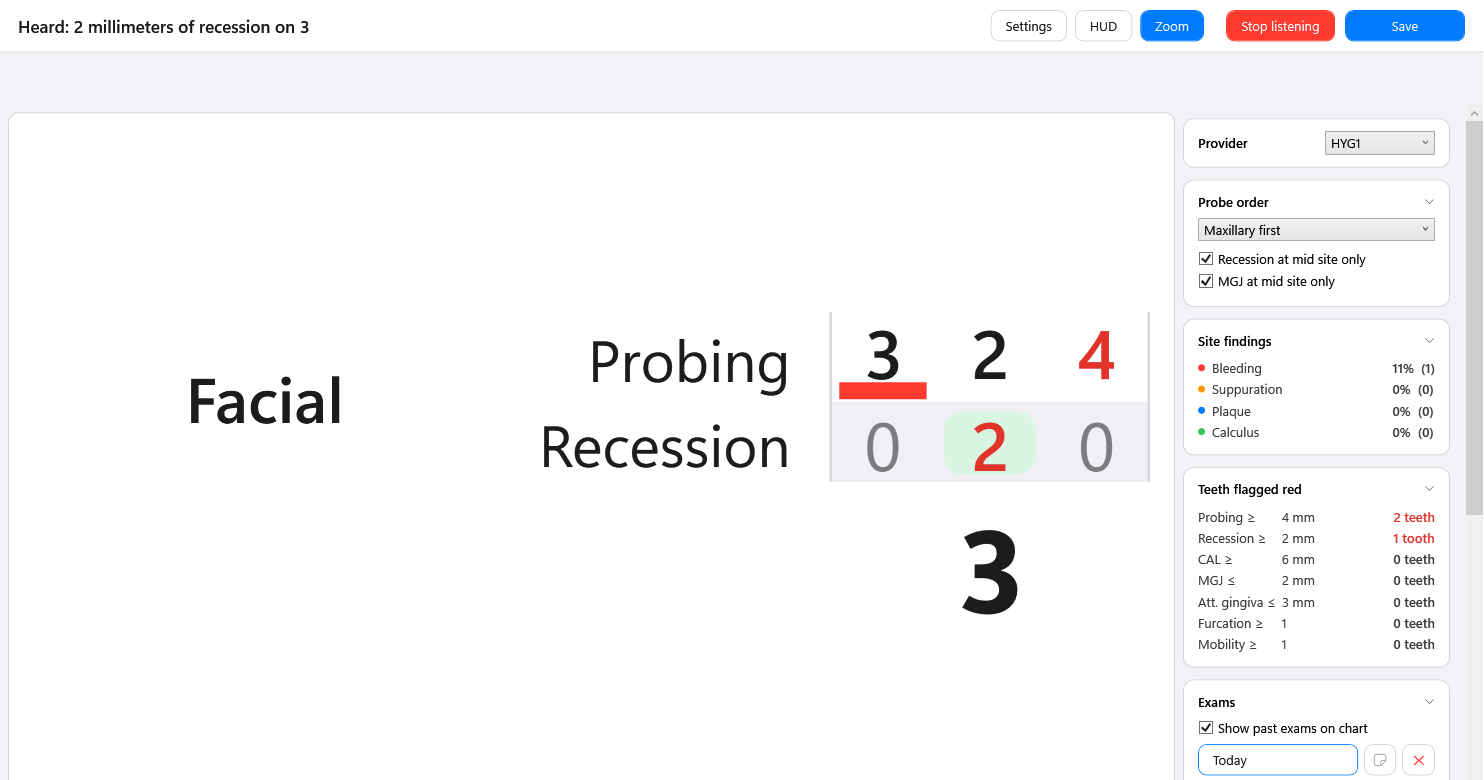
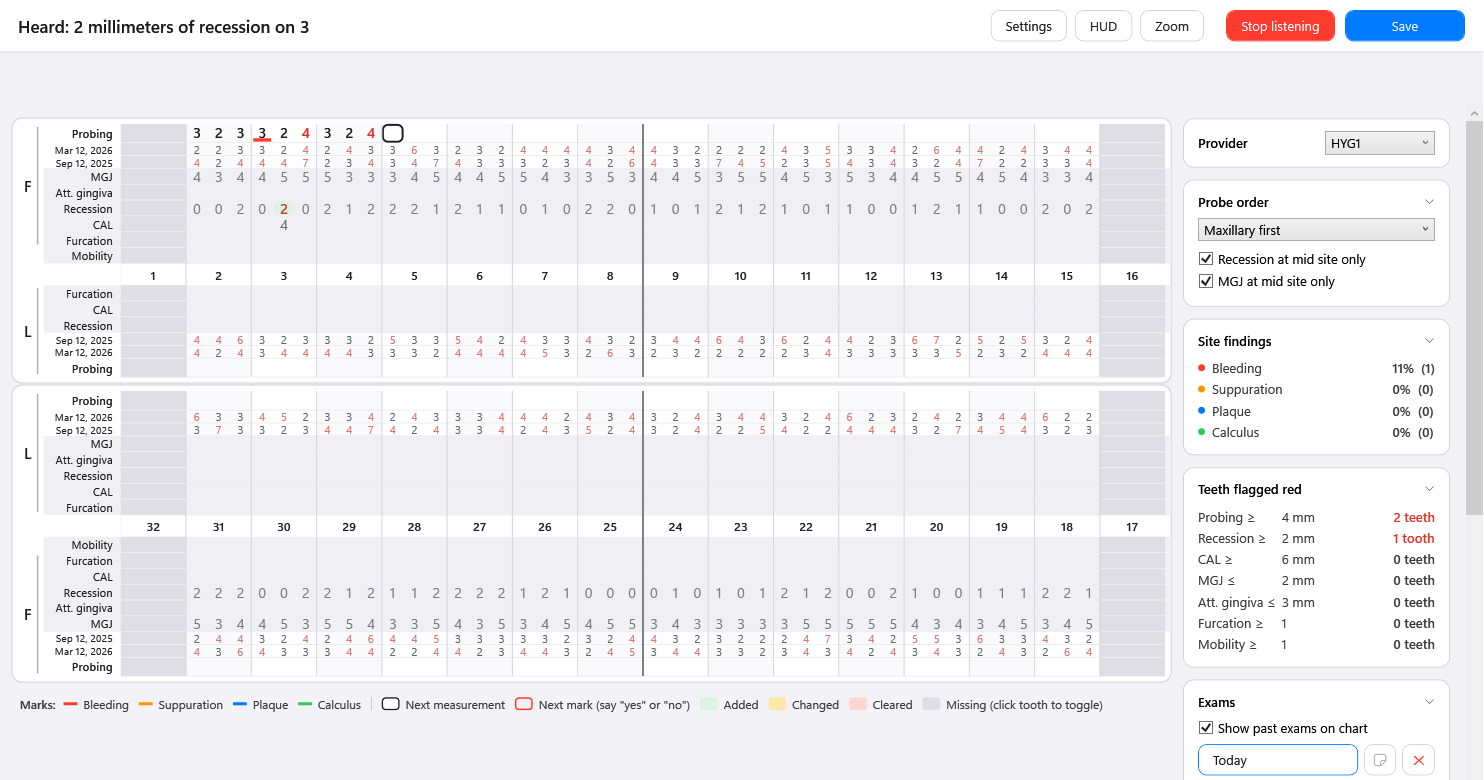
Voice charting for Open Dental. Speak the exam naturally — existing work, treatment plans, referrals — and watch it become structured, coded entries you can adjust with a click or a word.
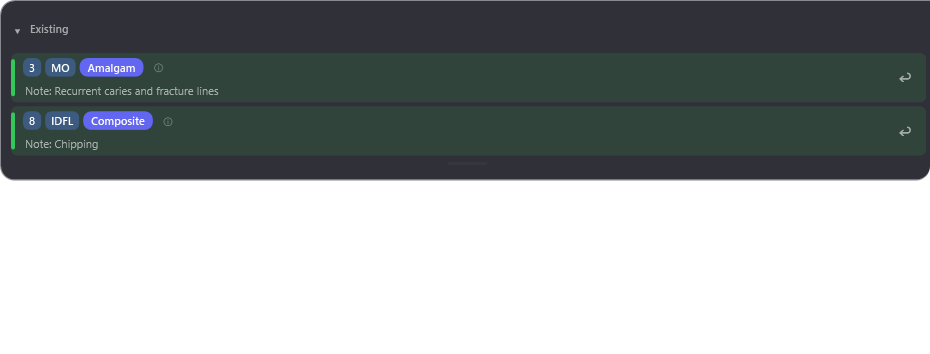
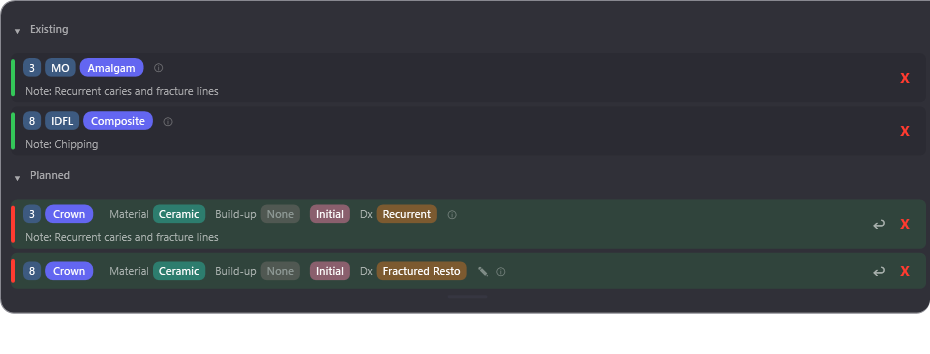
“Number 3 has recurrent decay under that amalgam — let’s plan a crown there, and an indirect pulp cap.”
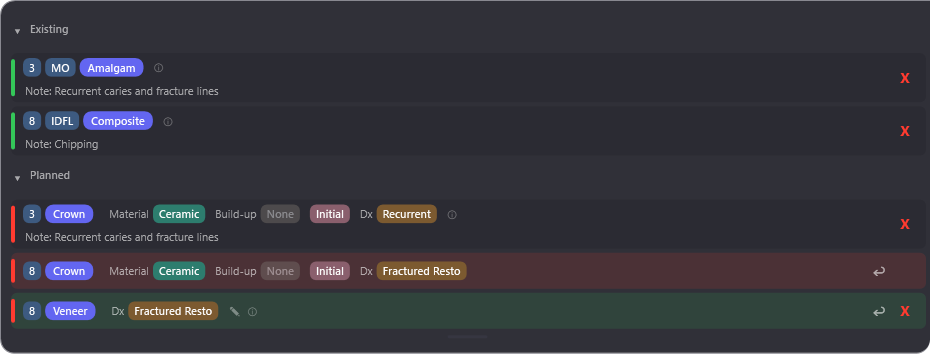
“Actually — make that crown gold, skip the pulp cap, and add an occlusal composite on 30.”
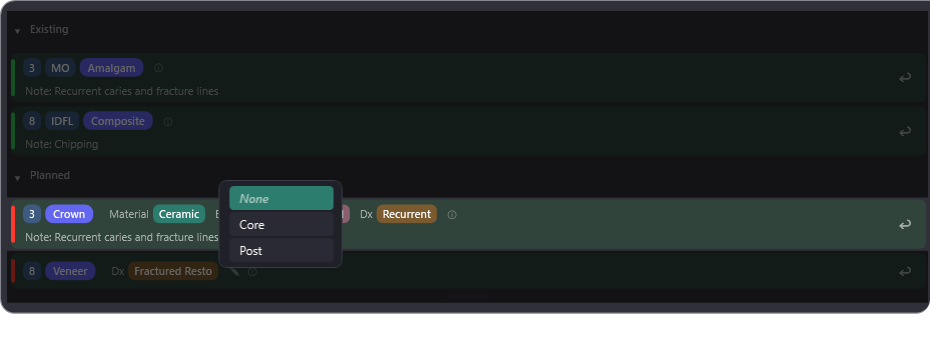
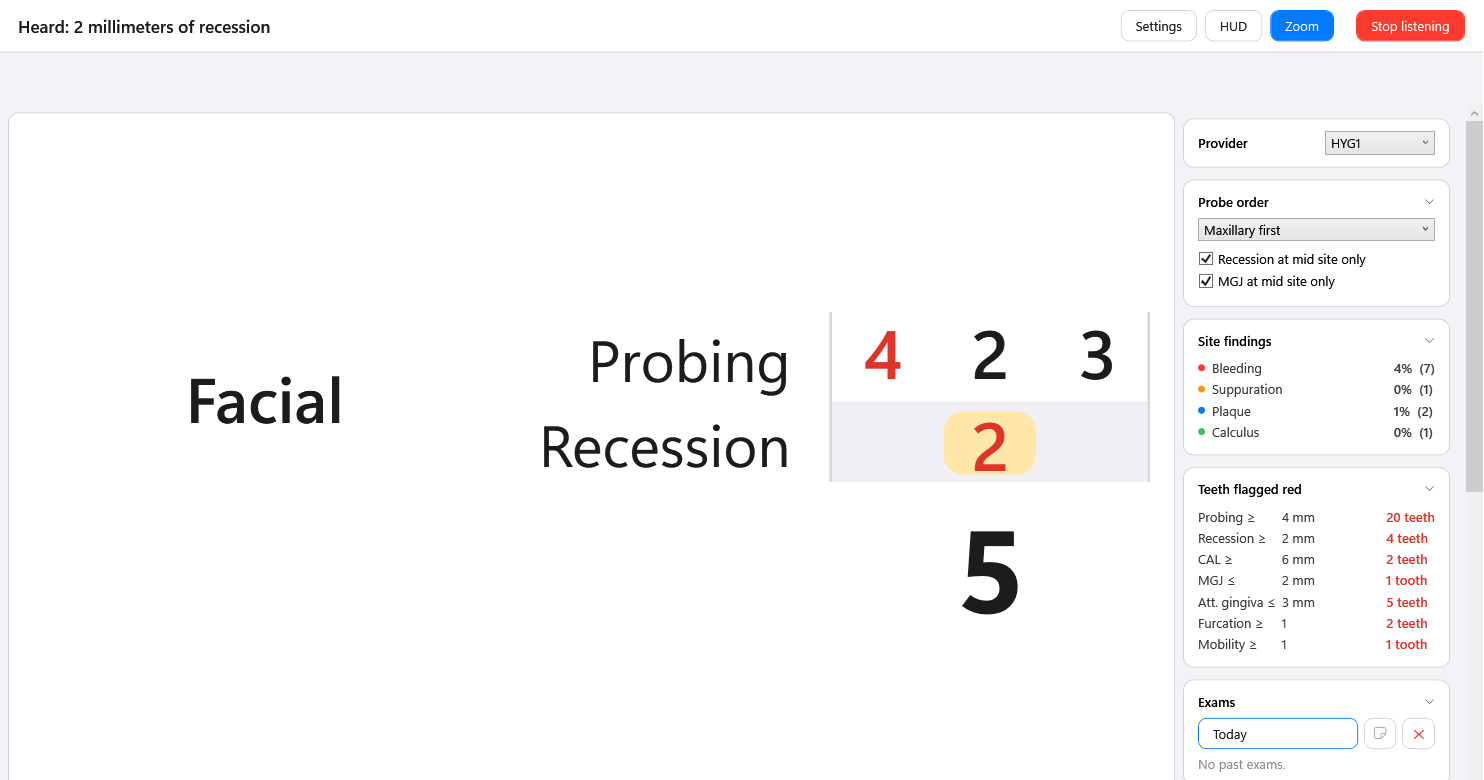
Two sentences. Four correct entries. Every change colour-coded: green added, yellow changed, red deleted. Undo anything with one click. Then one more click writes it all into Open Dental.
There are plenty of AI tools that write notes. Charting stayed manual — or worse, became a voice command language: rigid phrases, exact orders, working around the software’s rules.
That’s because charting is the hard problem. A crown isn’t just a crown — it’s the build-up, the material, the companion codes, your office’s defaults. Solving that takes dental software built by a dentist.
Dental Scribe was built by a practicing dentist. It’s charting, solved.
How it works
Click the Dental Scribe button in Open Dental. No separate app to find, no patient to look up twice — it opens on the patient you already have open.
A compact overlay appears at the edge of the screen. Your radiographs and intraoral scans stay visible the whole time — nothing to minimise, nothing covering the thing you’re looking at.
In your words, in any order. Treatments appear on screen as you speak, already mapped to your codes and your defaults. And like an assistant, it holds the conversation: “let’s crown that root canaled tooth” or “replace all the amalgams with composites” — it knows what you mean from what you’ve already said and what’s already charted.
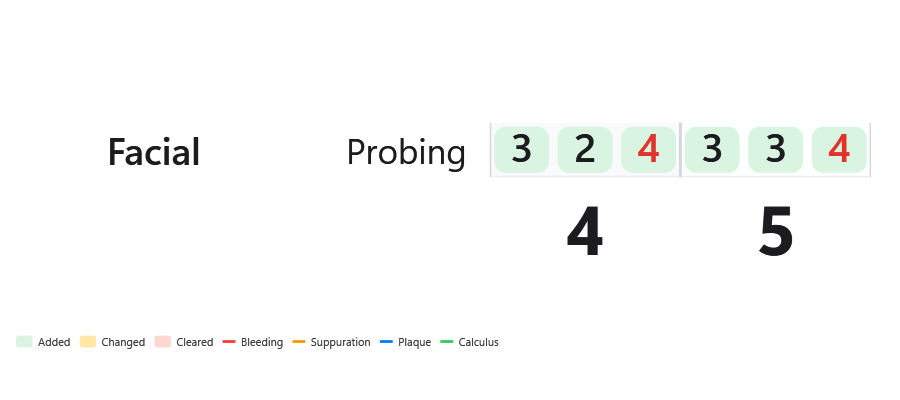
Say the change, or click the dropdown. Every row is colour-tracked — green added, yellow changed, red deleted — so you can see exactly what it heard, at a glance, without re-reading the whole plan. Undo is one click, per row or all at once.
The plan resolves to the proper CDT codes and writes straight into Open Dental. No export, no copy-paste, no entering it click by click.
No workflow to adopt. No “right way” to roll it out.
Assistants chart existing work — a new patient’s mouth charted in less than a minute, while waiting for the doctor.
Keep your exam flow — the assistant keeps up on paper like always, then voice-enters the list in a fraction of the time they’d usually spend.
Front-load before you walk in — review the X-rays and scans at your desk, dictate the plan, spend the visit connecting with the patient instead of waiting for the assistant to keep up.
Or go fully live — an ambient operatory mic or a wireless lapel mic, charting during the exam itself.
Same product in every case. Start small; go as deep as your office wants.
There’s no generic prompt underneath. The agent knows your customized catalog intricately — and the diagnosis list synced from your own Open Dental — which is exactly why you can talk to it like an assistant who already knows the office.
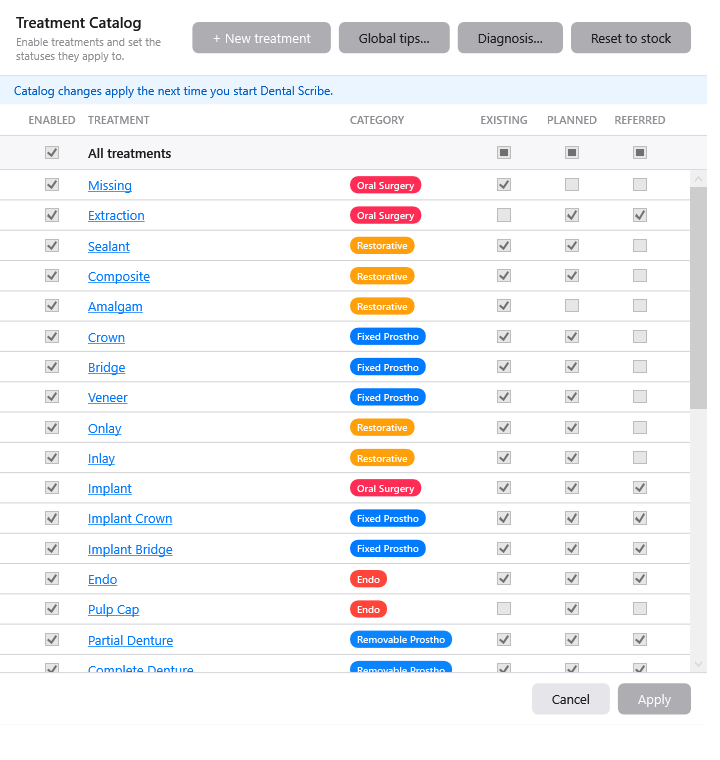
Start with an intuitive stock catalog — charting on day one, shaping it to your office from day two.
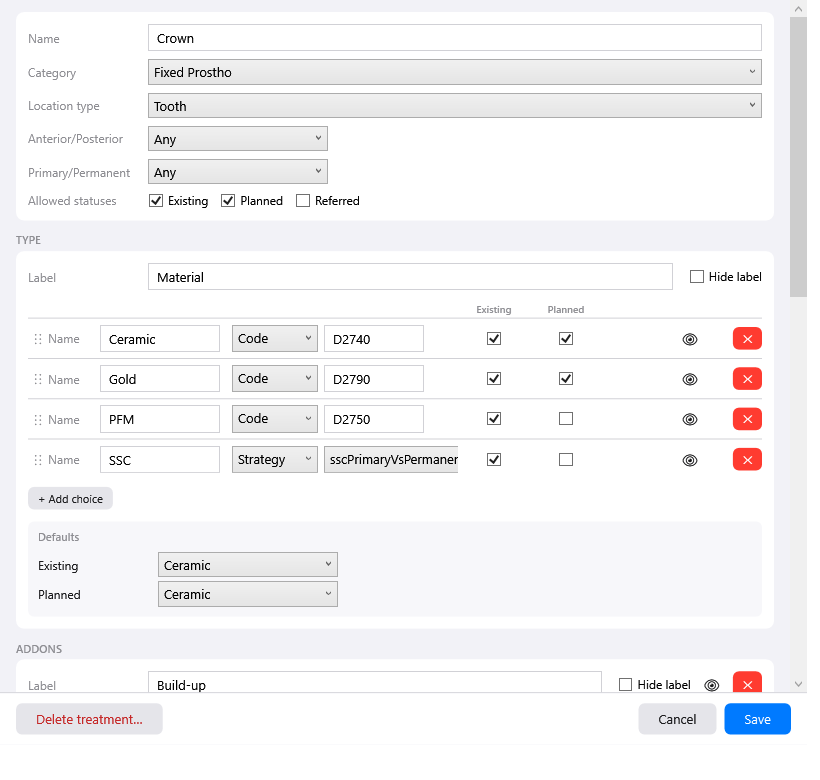
Hide what you don’t use — materials and codes your office never places can be disabled, keeping the agent’s choices simple and eliminating a whole class of mistakes.
Set your defaults — “crown” means your usual crown material and accessory codes. Never treatment-plan PFMs? Keep them enabled for existing and off for planned.
Companion codes ride along — a build-up with a crown, a PA with an extraction. Attach additional codes to any treatment you like.
Create new treatment objects — your catalog is yours, not a fixed menu.
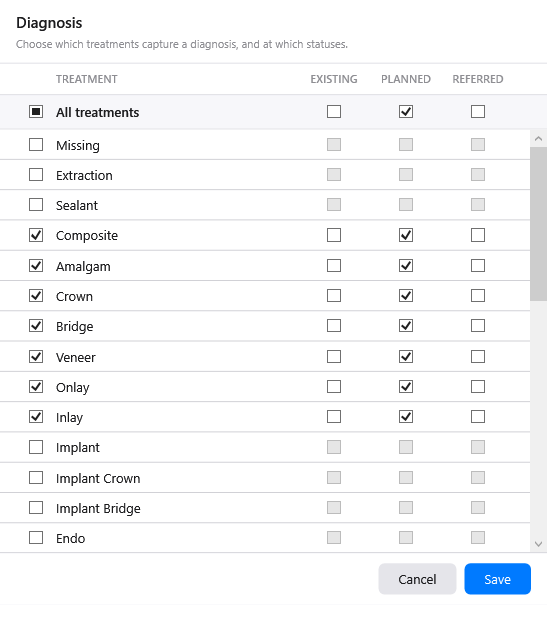
Diagnosis by voice — give the reason for a treatment and the diagnosis is set on the procedure in Open Dental. Set default diagnoses so you only specify when it differs.


Want to see it? It’s in the free download — open the catalog and make it yours.
Three parties, each doing the part they’re actually best at.
Dental Scribe runs on the latest models from the leading AI labs — the same intelligence behind the best AI products in the world. It’s excellent today and quietly better every release, with nothing to upgrade on your end. You’re not betting on a small dental company’s ability to build AI.
Raw intelligence doesn’t know what a build-up is, which codes ride with a crown, or how to write a procedure into Open Dental. That understanding is the product — and it was built by someone who charts for a living.
Lock in your defaults, enable the treatments you do, hide the ones you don’t. A new assistant learns your office in a few weeks; this takes an afternoon, and it never forgets.
The structured layer is deterministic. Materials, addons, extra codes, per-status defaults — those resolve the same way every single time, by rule, not by judgement. What you set is what gets written. The intelligence handles understanding what you said; it never decides what your codes should be.
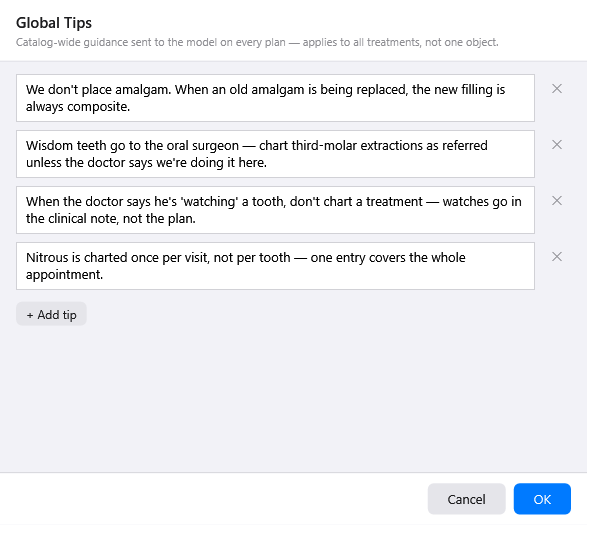
For everything that doesn’t fit a dropdown, there are tips — plain-language guidance, on a single treatment or practice-wide. The things you’d tell a new assistant in their first week, written down once:
“We don’t place amalgam. When an old amalgam is being replaced, the new filling is always composite.”
“Wisdom teeth go to the oral surgeon — chart third-molar extractions as referred unless the doctor says we’re doing it here.”
“When the doctor says he’s ‘watching’ a tooth, don’t chart a treatment — watches go in the clinical note, not the plan.”
Written in your words, not a syntax. And they can be practice-wide or attached to a single treatment — “SSC is a stainless steel crown, existing only” lives on the Crown object, where it belongs.

Your catalog lives in the cloud, versioned. Set it up once and every operatory workstation runs the same rules; replace a computer and it comes back exactly as you left it.
Transcripts, patient names and chart content never reach Soulware servers — the recognition happens between your machine and the AI provider, and what we store is your catalog and your account, not your patients. We sign a Business Associate Agreement with your office. Our AI provider operates under a zero-data-retention agreement, so your dictation isn’t retained or used for training.
Pricing
$149/month per office.
That’s the whole pricing page. No tiers, no per-seat math, no “contact sales.”
We’re a lean company on purpose — great dental software doesn’t have to be priced like enterprise dental software, not if it’s built by dental experts.
Getting started
Download it. Windows, one installer, a couple of minutes.
Make a free account. Email and a password. No card.
Start dictating. Trial minutes are included. Open a chart and talk — you’ll know inside one exam whether it works.
Open the catalog and make it yours. Play with the customizer before you spend anything. This is the part that tells you whether it fits your office.
Subscribe when it’s a fit. Then onboarding is hands-on: we set up your catalog and your Open Dental connection with you.